
We’ve made Rublon Authenticator for Android available as a direct APK download.
This new download option is designed for organizations and users who rely on Android devices that do not have access to Google Play. In addition to Google Play, Rublon Authenticator is now also available as an official APK file hosted by Rublon.
Why We Added an APK Download Option
In some enterprise environments, users work on Android devices where Google Play is unavailable, restricted, or blocked by policy. This can happen on corporate-managed devices, devices used in isolated networks, or phones deployed in regions and environments where access to Google Play is limited.
By adding an official APK download option, we are making it easier to deploy Rublon Authenticator in these scenarios while keeping distribution in an official Rublon-controlled channel.
Where to Download Rublon Authenticator
Rublon Authenticator is available for:
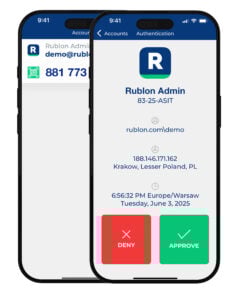
A Better Option for Enterprise Android Deployments
The new APK download option gives administrators and users more flexibility when deploying multi-factor authentication across diverse mobile environments.
It is especially useful when:
- Google Play is not available on the target device.
- Access to public app stores is restricted.
- Administrators need to distribute the application through internal channels.
- Organizations use MDM systems to distribute APK files to Android devices.
- Organizations want a direct link to the latest Android installer hosted by Rublon.
Important: Download Only from Official Rublon Sources
If you install the Android version using the APK file, make sure you download it only from the official Rublon Downloads page. We also recommend verifying the file checksum before installation.
Get the Latest APK
You can now download Rublon Authenticator for Android from Google Play or use the official APK download option for devices without access to Google Play.