
Last updated on September 23, 2026
In today’s digital world, transparency and security are paramount. Rublon provides a robust solution to meet these needs through its detailed Authentication Logs and Audit Logs. These logs not only help you have an insight into the actions of your users and administrators but also identify potential security risks. They offer a clear view of user and admin activities, bringing greater transparency to your organization’s security posture. All this information is conveniently located within the Rublon Admin Console and can be exported to a CSV file for further analysis.
Authentication Logs
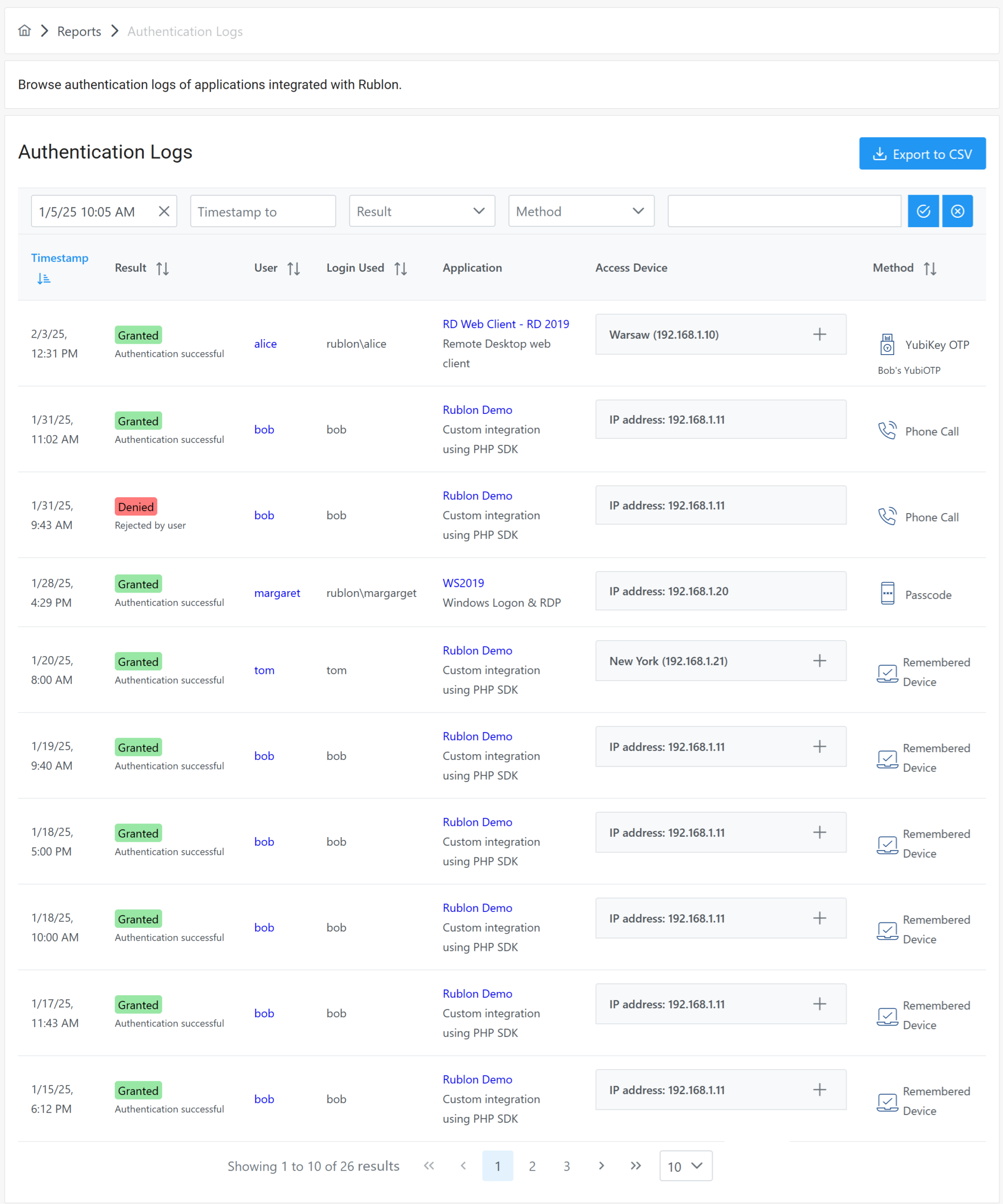
Authentication Logs is a tab in the Rublon Admin Console that provides a comprehensive view of how and where your users authenticate into protected applications. These logs display crucial information such as the username, time of authentication, location, and the authentication method used. Administrators can also export Authentication Logs to a CSV file.
You can filter these logs by time, result, and method, or use the search box to filter by any value. This feature allows you to quickly identify and investigate any unusual activity, thereby enhancing your organization’s security.
Learn more about Authentication Logs →
Activity Logs
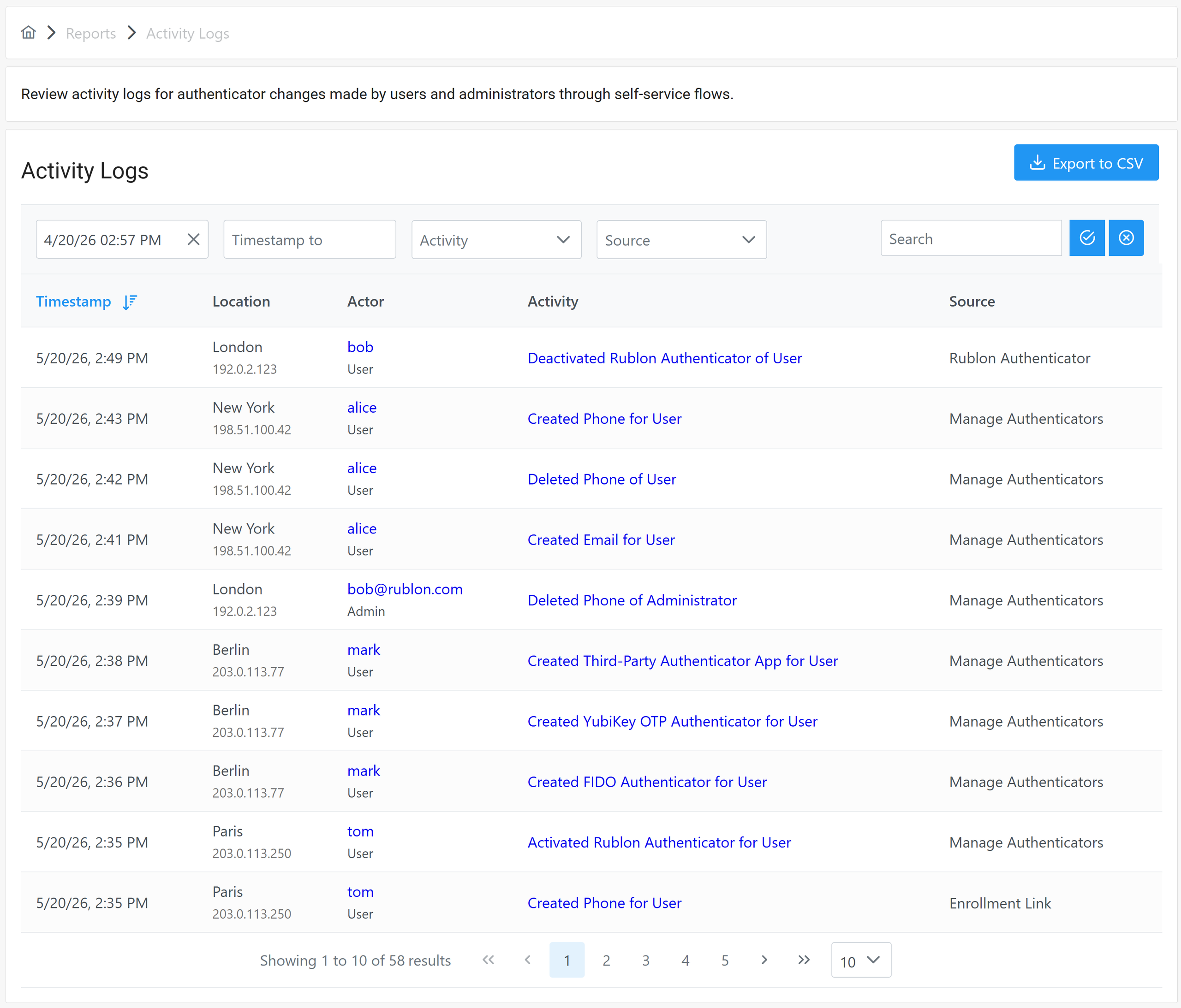
Activity Logs is a tab in the Rublon Admin Console that records authenticator-related actions performed by users and administrators. These logs show when authenticators are registered or removed, helping administrators track changes made through self-service flows, like the Manage Authenticators view changes, Rublon Authenticator app account removal, and Enrollment Link authenticator registration.
Activity Logs provide a clear audit trail of changes to users’ and administrators’ MFA authenticators. They help your organization improve security visibility, verify user accountability, investigate suspicious authenticator changes, and maintain traceability for compliance and governance needs.
Learn more about Activity Logs →
Audit Logs
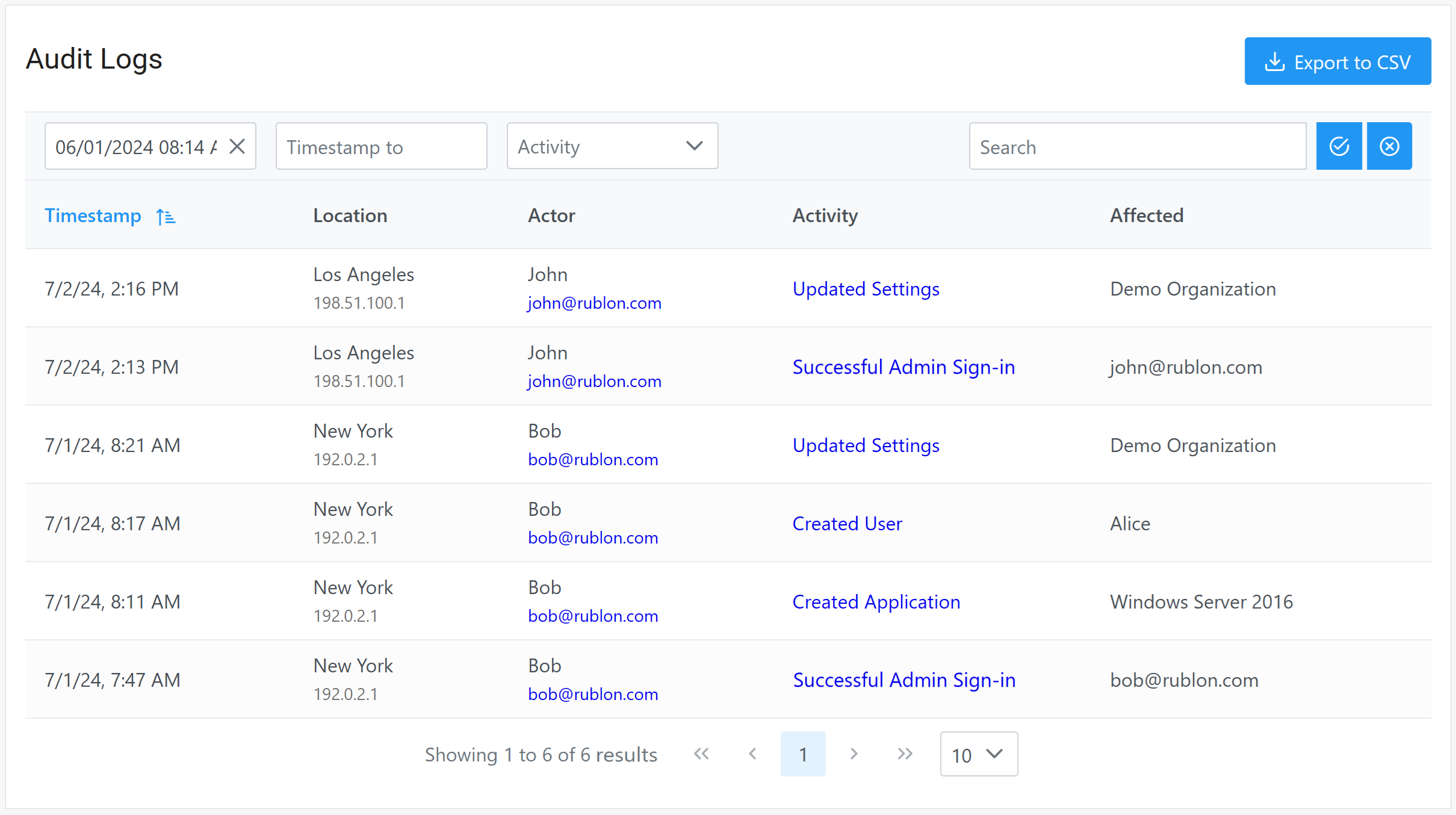
Audit Logs is a tab in the Rublon Admin Console that records all administrative actions taken within the organization. This includes changes to settings, user management actions, creating and changing policies, and more. Administrators can also export Audit Logs to a CSV file.
Audit Logs serve as a valuable tool for maintaining accountability and transparency within your organization. They allow you to track who made a change, what change was made, and when it was made. This level of detail is crucial for investigating incidents, identifying patterns, and making informed decisions about your security policies.
Phone Logs
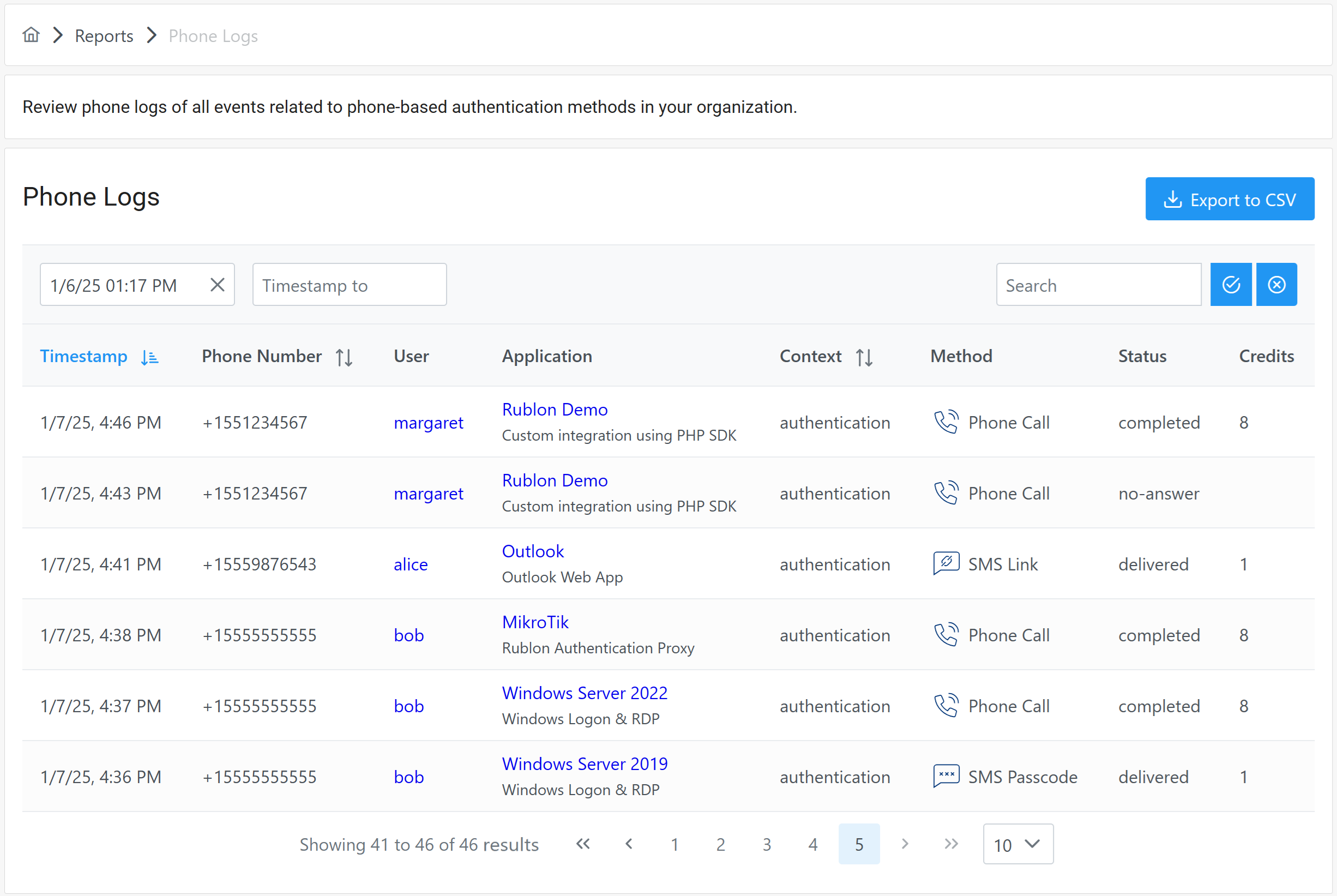
Phone Logs is a tab in the Rublon Admin Console that allows you to review phone logs of all events related to phone-based authentication methods in your organization. These logs display important information such as the time of authentication, phone number, username, application name, whether it was an enrollment or authentication, as well as the status, which authentication method was used, and how many Phone Credits were used. Administrators can also export Phone Logs to a CSV file.
You can use the search box to filter these logs by application name, username, phone number, and more. With Rublon Phone Logs, administrators gain an unprecedented insight into phone number-related activities in the organization.
Send Rublon MFA Logs to Your SIEM with Rublon Log Sync
Need to analyze Rublon MFA logs together with security events from the rest of your environment? Rublon Log Sync continuously retrieves Authentication Logs, Audit Logs, Phone Logs, and Activity Logs from the Rublon Admin API and forwards them to an external SIEM system.
Centralizing MFA logs in your SIEM helps security teams correlate authentication activity with other security data, investigate incidents, and maintain a more complete audit trail. Rublon Log Sync supports JSON and CEF output, making it easier to incorporate Rublon MFA events into existing security monitoring workflows.
Learn how to export Rublon MFA logs to your SIEM in the Rublon Log Sync documentation.
Empowering Security and Transparency with Rublon MFA’s Logs
By leveraging Rublon MFA’s logs, organizations can gain a deeper understanding of their security landscape. This empowers them to proactively address potential risks and ensure a secure environment for their users. Let Rublon be your partner in achieving a transparent and secure digital space.