
Last updated on October 2, 2026
RFID Authenticators are contactless devices that a user presents near an RFID reader during the authentication process. These authenticators can take the form of cards, key fobs, wristbands, or embedded chips in wearables. RFID authentication relies on radio-frequency communication between the authenticator and the reader to verify identity.
RFID Authentication With Employee Badges and Physical Access Cards
Rublon MFA allows supported RFID authenticators to be used as a convenient possession factor during multi-factor authentication. These authenticators may include employee badges, RFID cards, smart cards, contactless access cards, proximity cards, key fobs, wristbands, tags, and tokens.
For organizations that already use physical access control systems, RFID MFA can help connect physical and digital identity workflows. A supported physical access credential can be used not only to enter a building, but also to confirm identity during access to Windows Logon and Remote Desktop Protocol.
In access control terminology, these credentials may be referred to as physical access badges, PACS credentials, contactless access cards, contactless writable cards, passive proximity cards, or RFID-enabled smart cards.

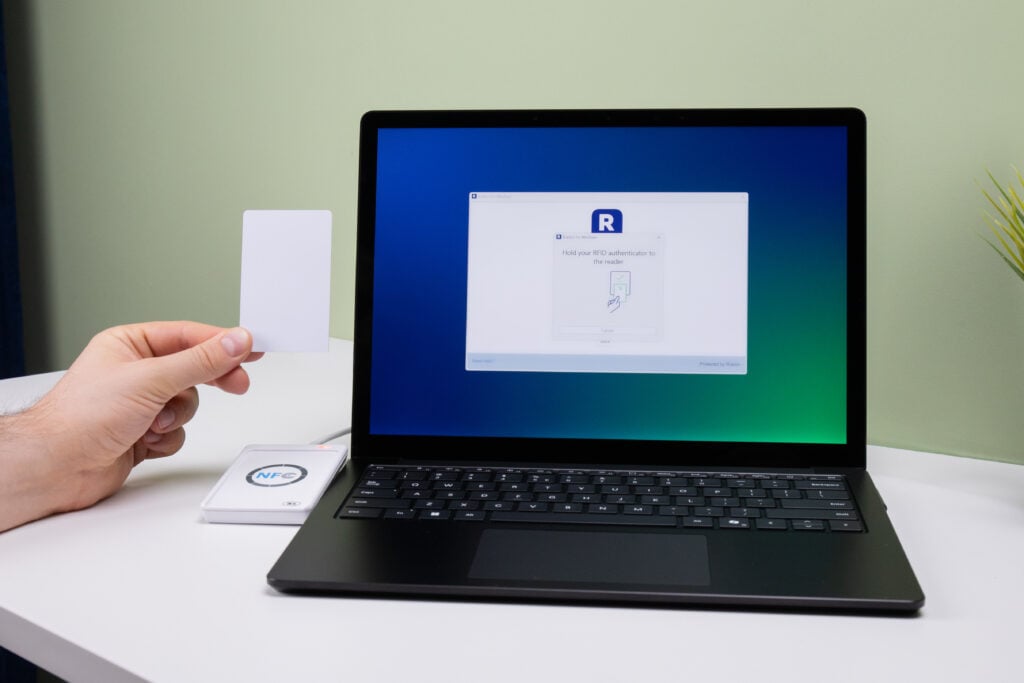
A user who wants to log in to an application integrated with Rublon MFA provides their login and password in the first step of authentication. In the second step, they are asked to connect a compatible RFID reader and then hold their RFID authenticator to the reader. This process confirms the user’s identity, and the user gains access to their account. It’s very simple.
RFID Security
RFID security depends not only on the authentication system but also on the technology of the card itself. Some legacy RFID cards are known to offer limited resistance to cloning and spoofing, which is why card choice matters in security-sensitive environments.
For this reason, we strongly discourage using MIFARE Classic cards in environments with elevated security requirements. Customers who need stronger protection against cloning should use supported MIFARE DESFire EV1, EV2, or EV3 cards, or authentication methods such as FIDO. Like MIFARE Classic, MIFARE DESFire is an RFID card technology, but its stronger cryptographic protections provide significantly greater resistance to cloning when properly configured and used with securely managed keys.
Rublon MFA implements safeguards designed to reduce the effectiveness of duplicated RFID credentials. Once an RFID authenticator is assigned to a user, card usage is handled in a way that helps prevent an original card and its clone from being used interchangeably as independent credentials.
Convenient MFA for Shared and Frontline Workstations
RFID authentication is well-suited to environments where users need a fast, familiar way to confirm identity at a Windows workstation. This includes offices, production floors, healthcare facilities, service desks, warehouses, and other workplaces where employees already carry badges or access cards.
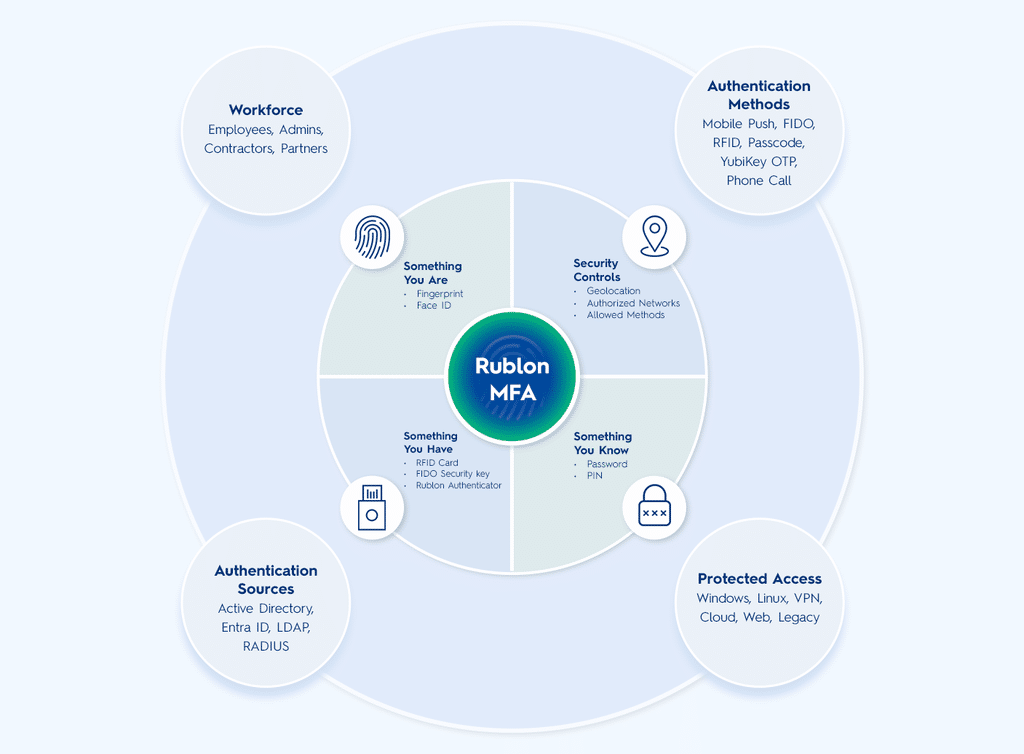
With Rublon MFA, the RFID authenticator works as “something you have” and can be combined with “something you know,” such as a username and password. This helps organizations improve access security while keeping the login experience simple for users who are already familiar with badge-based access.
List of Supported RFID Authenticators
- MIFARE Classic 1K
- MIFARE Classic 1K + UNIQUE
- MIFARE Plus SE 1K SL1
- MIFARE Plus 2K SL1
- MIFARE DESFire EV1 2K
- MIFARE DESFire EV1 4K
- MIFARE DESFire EV1 8K
- MIFARE DESFire EV2 2K
- MIFARE DESFire EV2 4K
- MIFARE DESFire EV2 8K
- MIFARE DESFire EV3 2K
- MIFARE DESFire EV3 4K
- MIFARE DESFire EV3 8K
- MIFARE Classic 4K (S70)
- NFC S70 MIFARE 4K
Note
MIFARE Plus cards operating in Security Level 2 (SL2) or Security Level 3 (SL3) are not currently supported. SL2 applies only to MIFARE Plus X cards. Support for SL2 and SL3 is planned for a future release.
Security Level 0 (SL0) is not supported. SL0 is the pre-personalization state of a MIFARE Plus card and is intended for configuring the card before it is put into operational use. Therefore, Rublon MFA does not support cards in SL0. The card must first be personalized and switched to a supported operational security level.
List of Supported RFID Readers
- ACS ACR1252U-M1
- ACS ACR122U-A9
- ACS ACR1552U-M1
- ACS ACR1552U-MF
- ACS ACR1281U-C1
- HID OMNIKEY 5022 CL
- HID OMNIKEY 5422
- Identiv uTrust 3700 F CL
List Of Integrations That Support RFID
Related RFID Use Cases
- Use Proximity Cards for MFA
- Enable Employee Badge-Based 2FA & MFA for Workforce Access Using RFID
- Use Physical Access (PACS) Credentials for MFA Across Windows and RDP
- Secure Shared Windows Workstations With RFID-Based MFA