
Last updated on September 18, 2026
Start From the Configuration Template
 log:
  debug: false

rublon:
  api_server: https://core.rublon.net
  system_token:
  secret_key:

proxy_servers:
  - name: RADIUS-Proxy
    type: RADIUS
    radius_secret: secret_to_communicate_with_the_proxy
    ip:
    port: 1812
    mode: standard
    auth_source: LDAP_SOURCE_1
    auth_method: email
  - name: LDAP-Proxy
    type: LDAP
    ip:
    port: 389
    auth_source: LDAP_SOURCE_1
    auth_method: email

auth_sources:
  - name: LDAP_SOURCE_1
    type: LDAP
    ip:
    port: 389
    transport_type: plain
    search_dn:
    access_user_dn:
    access_user_password:
  - name: RADIUS_SOURCE_1
    type: RADIUS
    ip:
    port: 1812
    radius_secret: secret_to_communicate_with_the_auth_source
 log:
  debug: true

rublon:
  api_server: https://core.rublon.net
  system_token:
  secret_key:

proxy_servers:
  - name: LDAP-Proxy
    type: LDAP
    ip:
    port: 389
    auth_source: LDAP_SOURCE_1
    auth_method: email

auth_sources:
  - name: LDAP_SOURCE_1
    type: LDAP
    ip:
    port: 389
    transport_type: plain
    search_dn:
    access_user_dn:
access_user_password:Configuring the rublon and global Section
rublon:
  api_server: https://core.rublon.net
  system_token: YOURTOKEN
secret_key: yoursecretConfiguring the LDAP Authentication Source
auth_sources:
  - name: LDAP_SOURCE_1
    type: LDAP
    ip:
    port: 389
    transport_type: plain
    search_dn:
    access_user_dn:
access_user_password:auth_sources:
- name: LDAP_SOURCE_1
type: LDAP
ip: localhost
port: 636
transport_type: ssl
access_user_dn: cn=admin,dc=example,dc=orgConfiguring the LDAP Proxy Server
proxy_servers:
- name: LDAP-Proxy
type: LDAP
ip:
port: 389
auth_source: LDAP_SOURCE_1
auth_method: emailproxy_servers:
- name: LDAP-Proxy
type: LDAP
ip: 192.168.1.13
port: 555
auth_source: LDAP_SOURCE_1
auth_method: emailauth_sources:
- name: LDAP_SOURCE_1
transport_type: ssl # this will be used by the LDAP proxy server as well
...
proxy_servers:
- name: LDAP-Proxy
type: LDAP
ip: 192.168.1.13
port: 555
auth_source: LDAP_SOURCE_1
auth_method: email
cert_path: path/to/cert.pem # added
pkey_path: path/to/key.pem # added
The Configuration File We Ended Up With
log:
debug: true
rublon:
api_server: https://core.rublon.net
system_token: YOURTOKEN
secret_key: yoursecret
proxy_servers:
- name: LDAP-Proxy
type: LDAP
ip: 192.168.1.13
port: 555
auth_source: LDAP_SOURCE_1
auth_method: email
cert_path: path/to/cert.pem
pkey_path: path/to/key.pem
auth_sources:
  - name: LDAP_SOURCE_1
    type: LDAP
    ip: localhost
    port: 636
    transport_type: ssl
    access_user_dn: cn=admin,dc=example,dc=org
Running and Testing

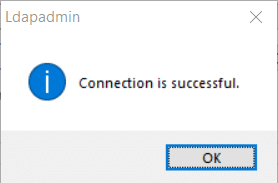
Rublon: User: test (test@rublon.com) has confirmed their identity using 2FA. Access granted.
Verifying the CA certificate
LDAP-Proxy - Connection to the proxied LDAP server was lost. Reason: <class 'OpenSSL.SSL.Error'>: [('SSL routines', 'tls_process_server_certificate', 'certificate verify failed')]