• Skip to primary navigation
  • Skip to main content
  • Skip to primary sidebar
  • Skip to footer

Company Â· Blog Â· Newsletter Â· Events Â· Partner Program

Downloads Support
  • English
    • Polski
Login
Rublon

Rublon

Secure Remote Access

  • Product
    • Regulatory Compliance
    • Use Cases
    • Rublon MFA Reviews
    • Deployment Model
    • What is MFA?
    • User Experience
    • Authentication Methods
    • Rublon Authenticator
    • Rublon App Shield
    • Rublon Identity Bridge
    • Remembered Devices
    • Logs
    • Single Sign-On
    • Access Policies
    • Directory Sync
  • Solutions
    • MFA for Remote Desktop
    • MFA for Remote Access Software
    • MFA for Windows Logon
    • MFA for Linux
    • MFA for On-Premise Active Directory
    • MFA for LDAP
    • MFA for RADIUS
    • MFA for SAML
    • MFA for RemoteApp
    • MFA for Workgroup Accounts
    • MFA for Entra ID
    • MFA for Windows Server Core
  • Customers
  • Industries
    • Financial Services
    • Investment Funds
    • Retail
    • E-Commerce
    • Technology
    • Healthcare
    • Legal
    • Education
    • Government
    • Utilities
    • Manufacturing
  • Pricing
  • Docs
Contact us Free Trial

Multi-Factor Authentication (2FA/MFA) for Roundcube

Multi-Factor (MFA) and Two-Factor Authentication (2FA) for Roundcube

September 14, 2022 By Rublon Authors

Last updated on August 12, 2026

Multi-Factor Authentication (MFA) for Roundcube is a multi-layered approach to authentication that requires users to complete an extra authentication method before accessing their Roundcube account. Thanks to Roundcube MFA, even if hackers compromise your password, they still cannot access your account.

Overview

This document explains how to enable Rublon Multi-Factor Authentication (MFA) for users who log in to Roundcube. Rublon integrates with Roundcube using a dedicated connector. This document describes all required installation and configuration steps.

The Rublon MFA for Roundcube connector enables Multi-Factor Authentication (MFA) / Two-Factor Authentication (2FA) during Roundcube user logins. After a user enters the correct username and password, the connector prompts the user to complete an additional authentication method. If the user cannot complete the extra security step, the connector denies access, thwarting a potential hacker from gaining access to the account.

Supported Authentication Methods

Authentication Method Supported Comments
Mobile Push ✔ N/A
FIDO ✔ N/A
Passcode ✔ N/A
SMS Passcode ✔ N/A
SMS Link ✔ N/A
Phone Call ✔ N/A
QR Code ✔ N/A
Email Link – N/A
YubiKey OTP ✔ N/A
RFID – N/A

Before You Start

Before configuring Rublon MFA for Roundcube:

  • Create an application in the Rublon Admin Console.
  • Install the Rublon Authenticator mobile app.

Create an Application in the Rublon Admin Console

1. Sign up for the Rublon Admin Console. Here’s how.

2. In the Rublon Admin Console, go to the Applications tab and click Add Application. 

3. Enter a name for your application and then set the type to Custom integration using PHP SDK.

4. Click Save to add the new application in the Rublon Admin Console.

5. Copy and save the values of the System Token and Secret Key. You are going to need these values later.

Install Rublon Authenticator

For increased security of Multi-Factor Authentication (MFA), end-users should install the Rublon Authenticator mobile app.

Download the Rublon Authenticator for:

  • Android
  • iOS
  • HarmonyOS

Installing Roundcube MFA

Option 1: Existing Roundcube Installation

1. Go to the directory from which Roundcube loads plugins, and run:

sudo git clone --depth 1 https://github.com/Rublon/rublon-roundcube.git rublon

2. Go to the root directory of your Roundcube installation and run:

composer require 'rublon/rublon-sdk-php:^4.1' --no-interaction

3. Back up the active config.inc.php file used by Roundcube.

4. Open the active config.inc.php file and add the following lines at the end:

$config['session_storage'] = 'php';
$config['plugins'][] = 'rublon';

Composer Dependency Workaround

If Composer reports missing packages such as:

pear-pear.php.net/auth_sasl
pear-pear.php.net/mail_mime
pear-pear.php.net/net_smtp
pear-pear.php.net/net_sieve

install the Rublon PHP SDK in a separate directory:

sudo mkdir -p /opt/rublon-sdk
sudo chown "$USER":"$USER" /opt/rublon-sdk
cd /opt/rublon-sdk
composer require 'rublon/rublon-sdk-php:^4.1' --no-interaction
sudo chown -R root:root /opt/rublon-sdk

Then add the following lines to the active Roundcube config.inc.php file:

require_once '/opt/rublon-sdk/vendor/autoload.php';

$config['session_storage'] = 'php';
$config['plugins'][] = 'rublon'; 

Option 2: Docker Container Installation

Use this method if Roundcube runs in a Docker container. Before you start, make sure Roundcube works correctly and users can sign in without MFA.

The following examples assume:

  • /opt/roundcube-lab is the Roundcube environment directory.
  • /opt/rublon-roundcube is the Rublon MFA plugin directory.

1. Download the Rublon MFA for Roundcube plugin:

cd /opt
sudo git clone https://github.com/Rublon/rublon-roundcube.git

2. Go to the Roundcube environment directory and create a custom Dockerfile:

cd /opt/roundcube-lab
sudo nano Dockerfile.roundcube

3. Add:

FROM roundcube/roundcubemail:1.7.2-apache
RUN cd /usr/src/roundcubemail \
    && composer require rublon/rublon-sdk-php:^4.1 --no-interaction --update-no-dev

4. Create a directory for the additional Roundcube configuration:

sudo mkdir -p /opt/roundcube-lab/config

5. Create the following file:

sudo nano /opt/roundcube-lab/config/rublon.inc.php

6. Add:

<?php
$config['session_storage'] = 'php';

7. Open the Compose file:

sudo nano /opt/roundcube-lab/compose.yml

8. In the roundcube service, configure the custom image:

build:
  context: .
  dockerfile: Dockerfile.roundcube
image: roundcube-rublon:1.7.2

9. Add rublon to ROUNDCUBEMAIL_PLUGINS.

For example:

ROUNDCUBEMAIL_PLUGINS: archive,zipdownload,rublon

If you do not use any other plugins:

ROUNDCUBEMAIL_PLUGINS: rublon

10. Add the following volumes:

- /opt/rublon-roundcube:/var/www/html/plugins/rublon:ro
- ./config/rublon.inc.php:/var/roundcube/config/rublon.inc.php:ro

11. Validate the Compose configuration:

cd /opt/roundcube-lab
sudo docker compose config

Configuring MFA for Roundcube

After completing one of the installation methods above, configure the Rublon MFA for Roundcube plugin.

1. Go to the Rublon MFA for Roundcube plugin directory.

  • For an existing Roundcube installation, this is the rublon directory inside the Roundcube plugins directory.
  • For the Docker installation, use:
cd /opt/rublon-roundcube

2. Create the plugin configuration file:

sudo cp config.inc.php.dist config.inc.php

3. Open config.inc.php for editing.

4. Enter the credentials of the application you created in the Rublon Admin Console:

<?php

$config['client'] = 'SYSTEM_TOKEN';
$config['secret'] = 'SECRET_KEY';
$config['rublonApi'] = 'https://core.rublon.net';

Replace:

  • SYSTEM_TOKEN with the System Token of your application in the Rublon Admin Console.
  • SECRET_KEY with the Secret Key of your application in the Rublon Admin Console.

5. For an existing Roundcube installation, also add:

$config['rcubeUrl'] = 'https://mail.example.com/roundcube';

Enter the exact URL used to open Roundcube, including the application path and without a trailing slash.

6. Apply the changes you made:

  • For an existing Roundcube installation, restart the web/PHP service that runs Roundcube. For Apache:
sudo systemctl restart apache2
  • For a Docker installation, build the image and start the containers:
cd /opt/roundcube-lab
sudo docker compose up -d --build

Testing MFA for Roundcube

1. Enter your Roundcube login and password and click Login.

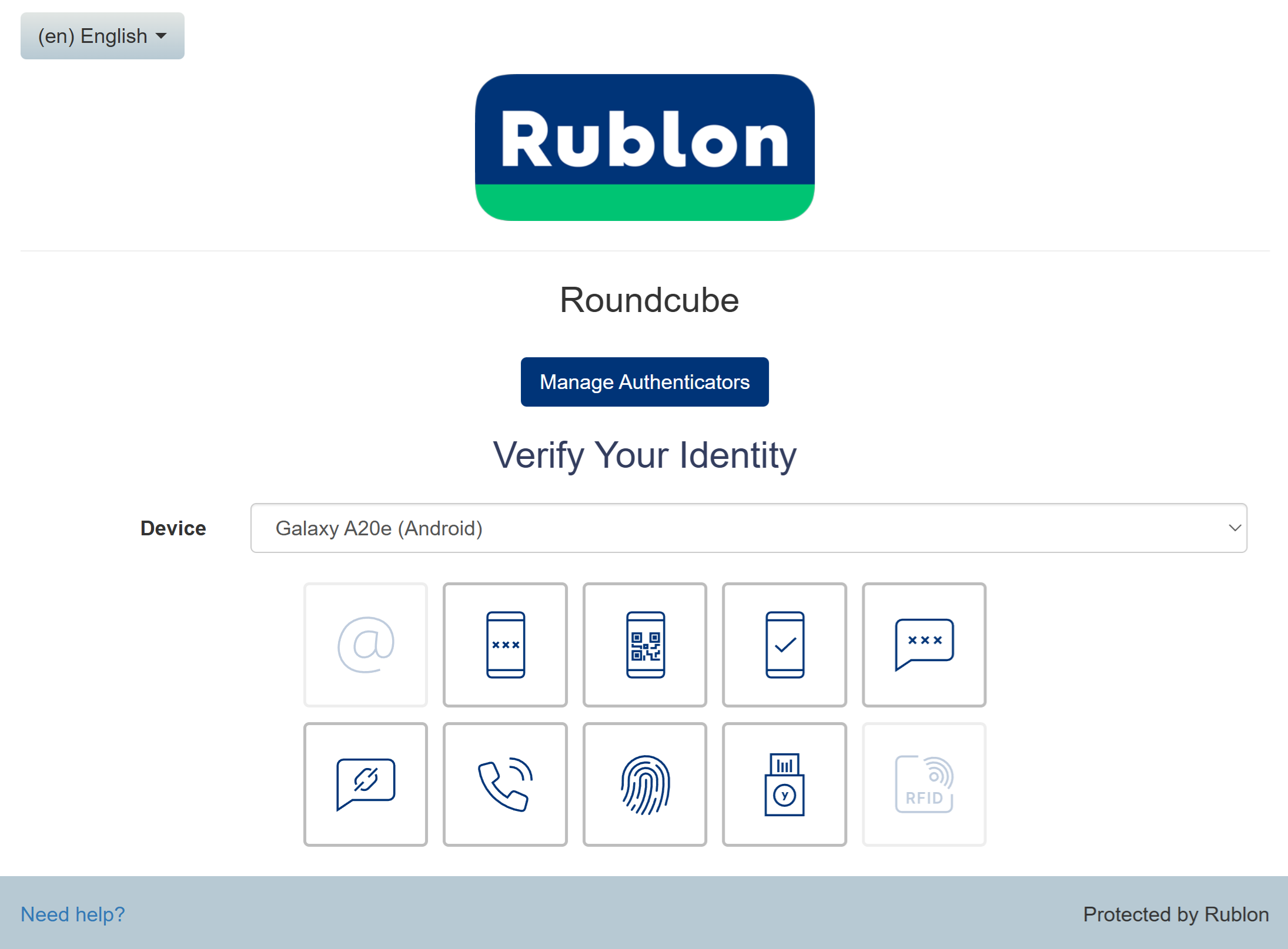
2. A window will appear with various MFA options from Rublon. Let’s choose Mobile Push.

3. Rublon MFA will send a Mobile Push authentication request to your phone. Tap APPROVE.

Image showing a Mobile Push authentication request in the Rublon Authenticator received during MFA for Roundcube

4. You will be successfully logged in to Roundcube.

Troubleshooting

For a Docker deployment, if MFA does not appear or Roundcube returns an error, check the container logs:

sudo docker logs roundcube --tail 100

You can also verify that the Rublon MFA for Roundcube plugin is available inside the container:

sudo docker exec -it roundcube ls -la /var/www/html/plugins/rublon

Verify that the Rublon PHP SDK is installed:

sudo docker exec -it roundcube composer show rublon/rublon-sdk-php

If you encounter any issues with your Rublon MFA integration, contact Rublon Support.

Filed Under: Documentation

Primary Sidebar

Contents

  • Overview
  • Supported Authentication Methods
  • Before You Start
    • Create an Application in the Rublon Admin Console
    • Install Rublon Authenticator
  • Installing Roundcube MFA
    • Option 1: Existing Roundcube Installation
      • Composer Dependency Workaround
    • Option 2: Docker Container Installation
  • Configuring MFA for Roundcube
  • Testing MFA for Roundcube
  • Troubleshooting
Try Rublon MFA for Free
Start your 30-day Rublon MFA Trial to secure your employees using multi-factor authentication.
No Credit Card Required
Rublon 5 star reviews on Gartner Peer Insights

Footer

Product

  • Regulatory Compliance
  • Rublon MFA Reviews
  • Use Cases
  • Deployment Model
  • What is MFA?
  • User Experience
  • Authentication Methods
  • Rublon Authenticator
  • Rublon App Shield
  • Rublon Identity Bridge
  • Remembered Devices
  • Logs
  • Single Sign-On
  • Access Policies
  • Directory Sync

Solutions

  • MFA for Remote Desktop
  • MFA for Windows Logon
  • MFA for Remote Access Software
  • MFA for Linux
  • MFA for On-Premise Active Directory
  • MFA for LDAP
  • MFA for RADIUS
  • MFA for SAML
  • MFA for RemoteApp
  • MFA for Workgroup Accounts
  • MFA for Entra ID
  • MFA for Windows Server Core

Industries

  • Financial Services
  • Investment Funds
  • Retail
  • E-Commerce
  • Technology
  • Healthcare
  • Legal
  • Education
  • Government
  • Utilities
  • Manufacturing

Documentation

  • 2FA for Windows & RDP
  • 2FA for RDS
  • 2FA for RD Gateway
  • 2FA for RD Web Access
  • 2FA for SSH
  • 2FA for OpenVPN
  • 2FA for SonicWall VPN
  • 2FA for Cisco VPN
  • 2FA for Office 365

Support

  • Knowledge Base
  • FAQ
  • System Status

About

  • About Us
  • AI Info
  • Blog
  • Events
  • Careers
  • Co-funded by the European Union
  • Contact Us

  • Facebook
  • GitHub
  • LinkedIn
  • Twitter
  • YouTube

© 2026 Rublon · Imprint · Legal & Privacy · Security