
Last updated on August 24, 2026
Rublon MFA adds an extra layer of identity verification to the applications and systems your organization already uses.
In a typical Rublon MFA sign-in, users first enter their existing credentials. When multi-factor authentication is required, Rublon MFA asks them to verify their identity with an additional authentication method, such as Mobile Push or a FIDO2 passkey.
For administrators, Rublon MFA provides a centralized way to manage users, authentication methods, access policies, and authentication activity across protected applications.
Secure user access without replacing your existing identity infrastructure.

Rublon MFA Adds a Second Step to the Login Process
Rublon MFA works alongside the authentication systems your organization already uses.
1️⃣ The User Starts Signing In
The user opens a protected application, VPN, workstation, server, or other resource and provides their usual login credentials.
2️⃣ The Primary Credentials Are Verified
The existing authentication system verifies the user’s primary credentials using the organization’s existing identity source.
3️⃣ Rublon MFA Requests a Second Factor
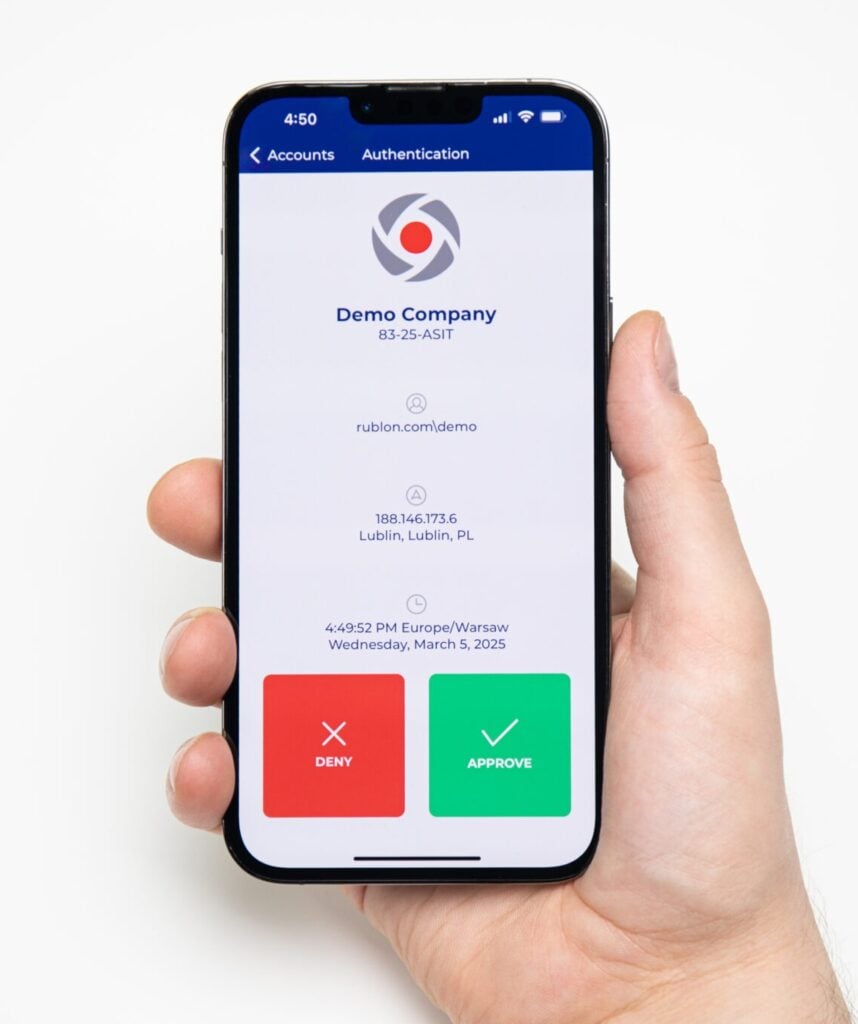
After the primary credentials are verified, Rublon MFA requests a second factor based on the integration and configured policies.
The user may be asked to use a specific method or choose from methods enabled by the administrator.
4️⃣ The User Verifies Their Identity
The user completes the additional verification using Mobile Push, a FIDO2 security key or passkey, a TOTP passcode, or another available method.
If authentication succeeds, the user can continue to the protected resource.
Rublon MFA Across Your IT Environment
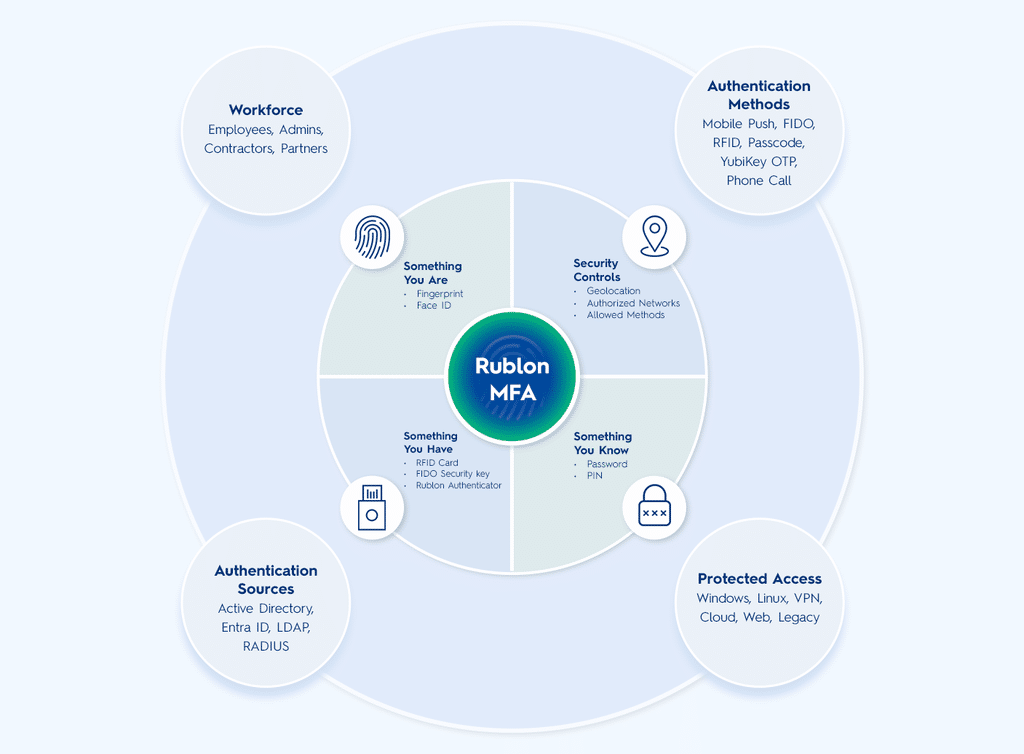
One Authentication Experience, Controlled by Your Security Team
Rublon MFA gives administrators control over how additional authentication works across the organization.
With Rublon MFA Policies, administrators can determine which authentication methods are available and apply different authentication requirements to applications or user groups. Policies can also control features such as Remembered Devices, Authorized Networks, and location-based authentication requirements.
That means stronger authentication can be applied where it matters while keeping the sign-in experience practical for users.

How Rublon MFA Works for Administrators
Rublon MFA gives IT teams a centralized place to manage users, applications, authentication settings, and activity.
Keep Users Synchronized
With Rublon Directory Sync, administrators can synchronize users and groups from:
- Microsoft Active Directory
- Microsoft Entra ID
- OpenLDAP
This keeps Rublon MFA aligned with the organization’s existing identity source.
Learn About Rublon Directory Sync →
Manage MFA from One Place
Administrators use the Rublon Admin Console to manage users, applications, authentication methods, and MFA settings centrally.
See What Is Happening
Rublon MFA centralizes authentication and administrative activity in the Rublon Admin Console:
- Authentication Logs track authentication activity across protected applications.
- Activity Logs record authenticator-related actions performed by users and administrators.
- Audit Logs capture administrative changes within the organization.
- Phone Logs show events related to phone-based authentication methods.
These logs help administrators investigate events, review changes, and monitor how Rublon MFA is being used.
Ready to Put Rublon MFA to Work?
Add MFA to your existing applications and infrastructure with centralized control for your IT team.
Built Around Your Existing IT Environment
Rublon MFA can protect technologies across cloud, on-premises, and hybrid environments.
Depending on what you want to protect, Rublon MFA combines its cloud-hosted MFA and management platform with the integration components required by your applications and infrastructure.
Your organization can keep its existing identity infrastructure while extending multi-factor authentication to the systems employees use to access business resources.

Frequently Asked Questions
How does Rublon MFA work?
Rublon MFA adds an additional authentication step after the user’s primary credentials are verified. Depending on the organization’s configuration, users verify their identity with a method such as Mobile Push, a FIDO2 security key, a passkey, or a TOTP passcode.
Does Rublon MFA replace passwords?
No. Rublon MFA works with your existing authentication infrastructure and adds an additional layer of identity verification to the sign-in process.
Can Rublon MFA protect against phishing?
Yes. Organizations can use phishing-resistant authentication methods supported by Rublon MFA, including FIDO2 security keys and passkeys.
Learn about phishing-resistant MFA →
How do administrators manage Rublon MFA?
Administrators manage users, applications, authentication settings, and activity centrally through the Rublon Admin Console. They can also synchronize users from external directories and review authentication and administrative logs.
Does Rublon MFA work with Active Directory and Microsoft Entra ID?
Yes. Rublon Directory Sync can synchronize users and groups from Microsoft Active Directory, Microsoft Entra ID, and OpenLDAP.
Learn about Rublon Directory Sync →
Add Rublon MFA to Your Sign-In Process
A password should not be the only thing standing between an attacker and your business systems.
Add another identity verification step with Rublon MFA while giving your IT team centralized control over users, policies, authentication methods, and activity.