Last updated on March 23, 2026


Managing FIDO Authenticators
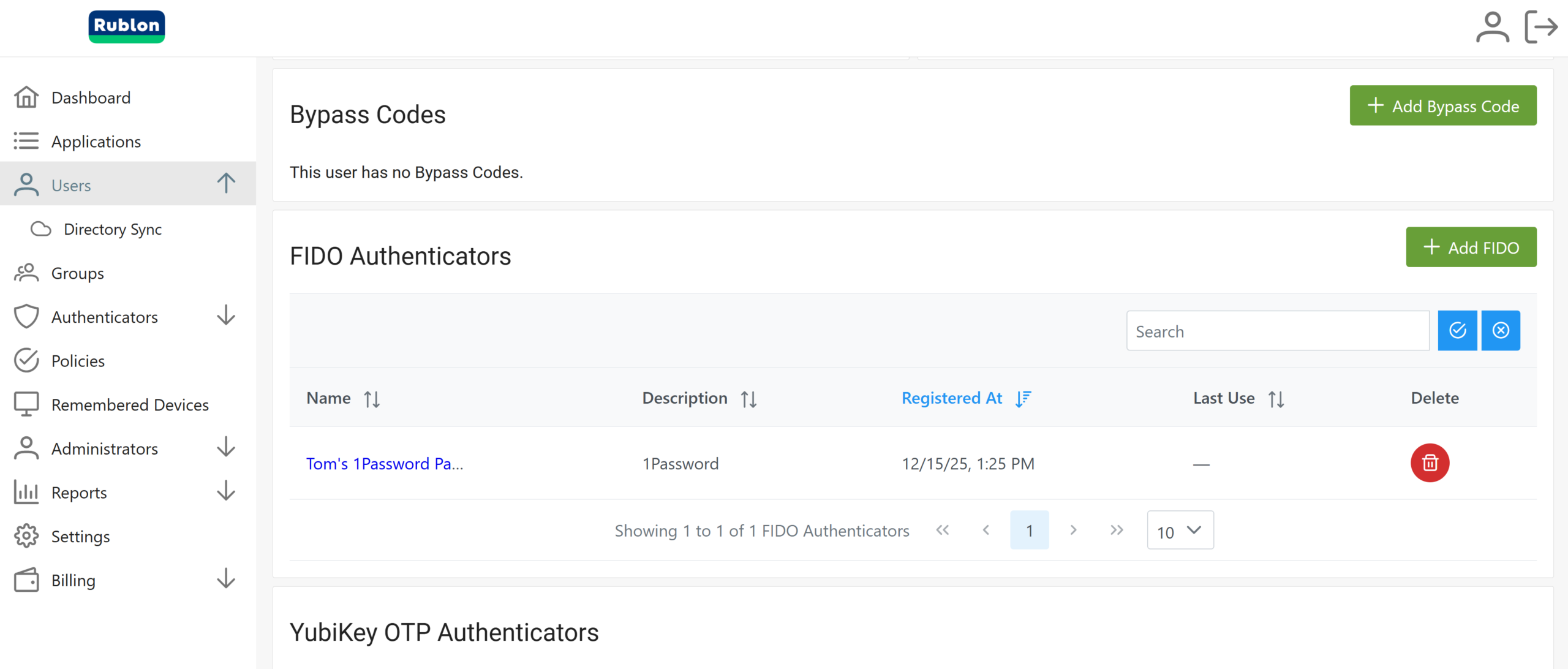
Rublon MFA goes beyond user self-enrollment of FIDO authenticators. In addition to allowing users to register their own WebAuthn and U2F security keys and FIDO2 passkeys, Rublon MFA also enables administrators to enroll FIDO authenticators on behalf of users directly from the FIDO Authenticators tab in the Rublon Admin Console. This gives organizations more control over rollout, helps standardize onboarding, and makes it easier to deploy phishing-resistant MFA across the company.
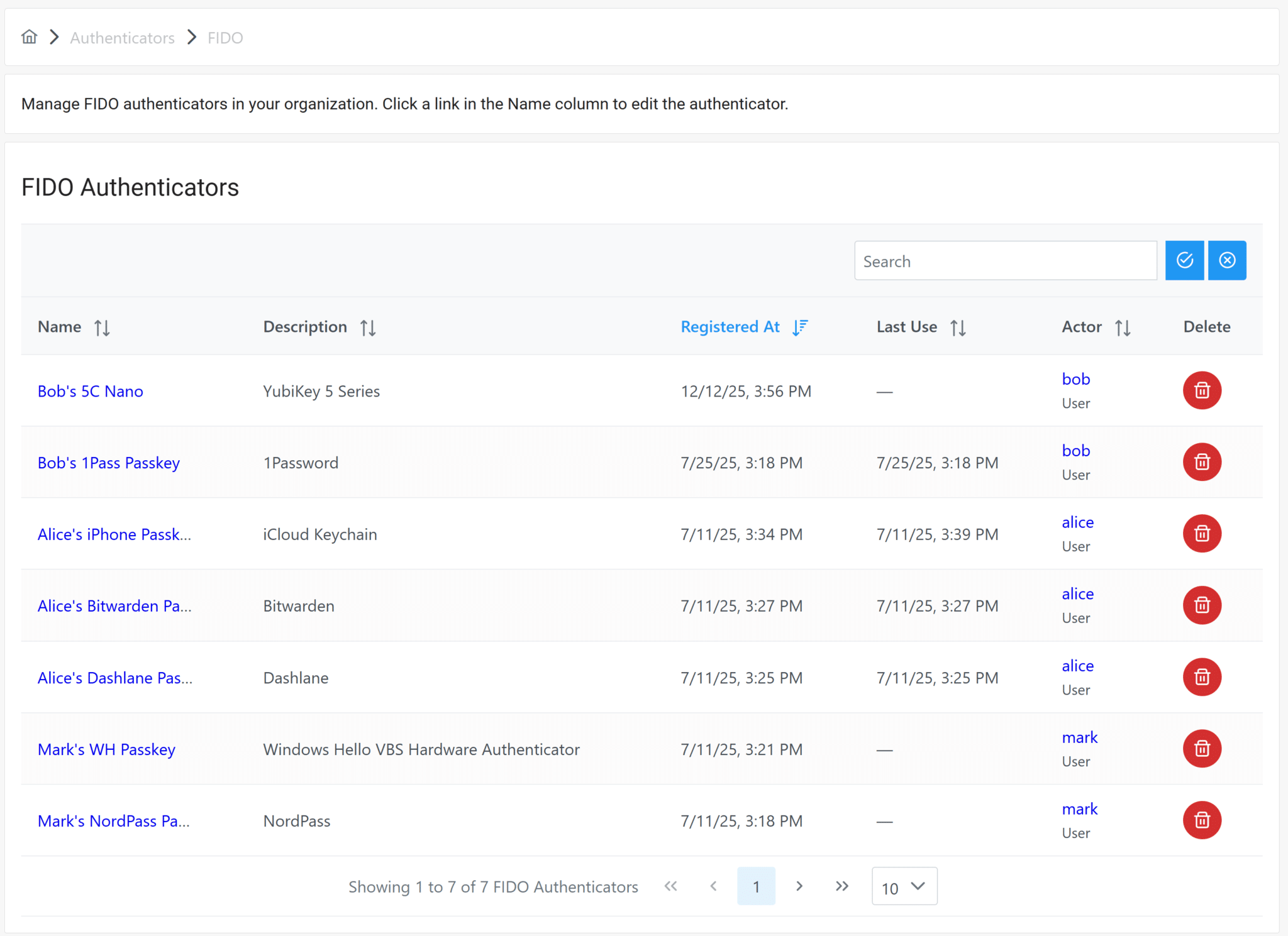
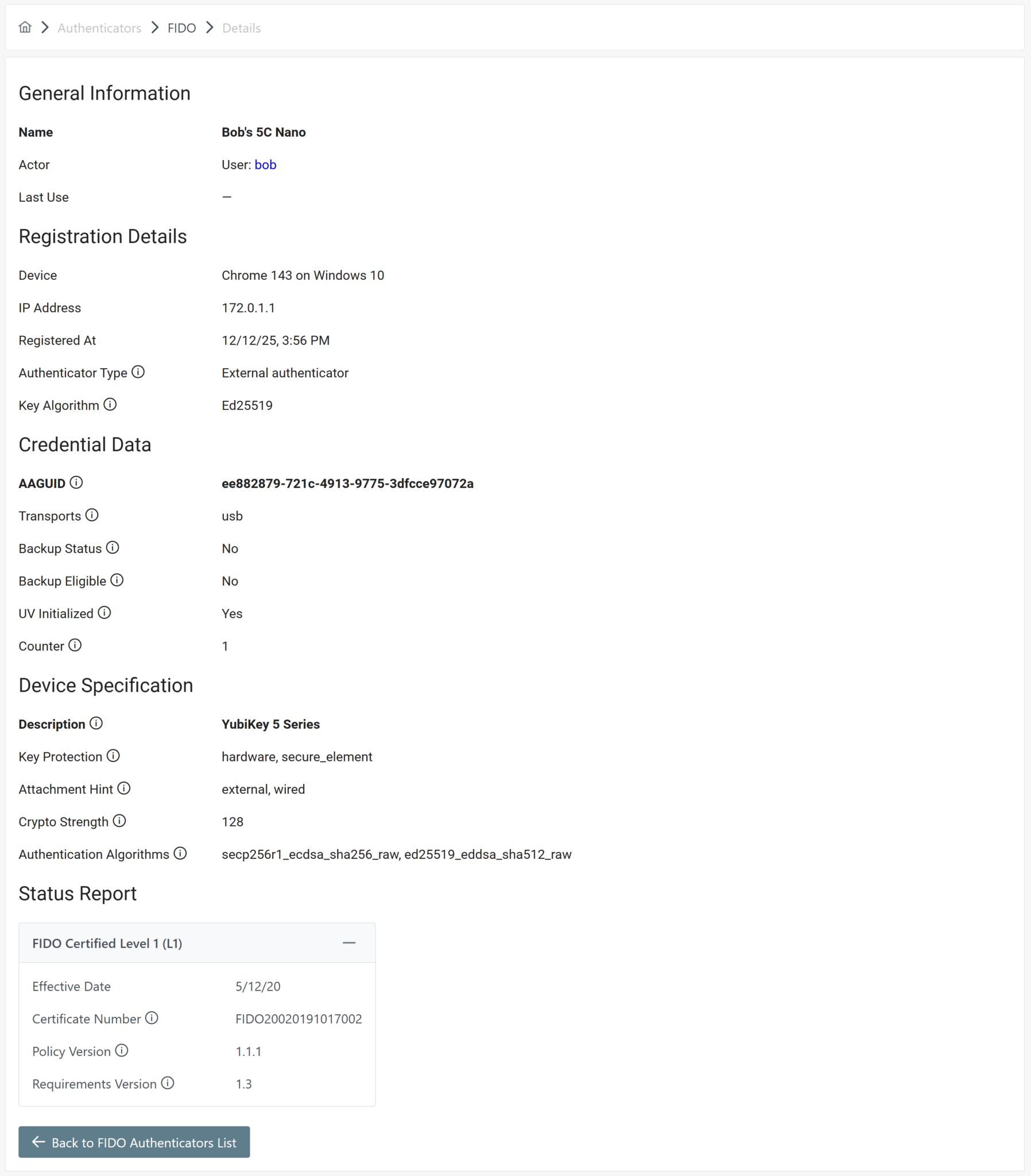
Administrators can also use the Rublon Admin Console to remove FIDO authenticators and view their details with a single click. By selecting an authenticator’s name, admins can review high-value information such as Name, Actor, and Last Use, along with registration details like Device, IP Address, Registered At, Authenticator Type, and Key Algorithm. Rublon MFA also exposes credential-level metadata, including AAGUID, Transports, Backup Data, UV Initialized, and Counter, as well as device specification data such as Description, Key Protection, Attachment Hint, Crypto Strength, Authentication Algorithms, and FIDO Certified Level.
The same management capabilities are also available in each individual user profile under the FIDO Authenticators section. Together, these features give IT teams a practical way to streamline deployment, simplify lifecycle management, and maintain strong visibility into the company’s phishing-resistant authentication methods.