Last updated on July 1, 2026
Overview
Enable Entra ID logins to WatchGuard Firebox using Rublon MFA
If WatchGuard Firebox authenticates users through LDAP or RADIUS, you can use Rublon Authentication Proxy to validate primary credentials against Microsoft Entra ID and then enforce Rublon MFA. This allows users to sign in to WatchGuard Firebox with Microsoft Entra ID credentials, even when WatchGuard Firebox does not support Microsoft Entra ID, SAML, OAuth 2.0, or OpenID Connect natively.
See how to authenticate LDAP and RADIUS with Microsoft Entra ID credentials and MFA, or explore the related use case: Microsoft Entra ID logins for LDAP and RADIUS applications with MFA.
Supported Authentication Methods
Before You Start Configuring MFA for Watchguard Firebox
- Ensure you have prepared all required components.
- Create an application in the Rublon Admin Console.
- Install the Rublon Authenticator mobile app.
Required Components
Create an Application in the Rublon Admin Console
Install Rublon Authenticator
Configuring Multi-Factor Authentication (MFA) for WatchGuard Firebox
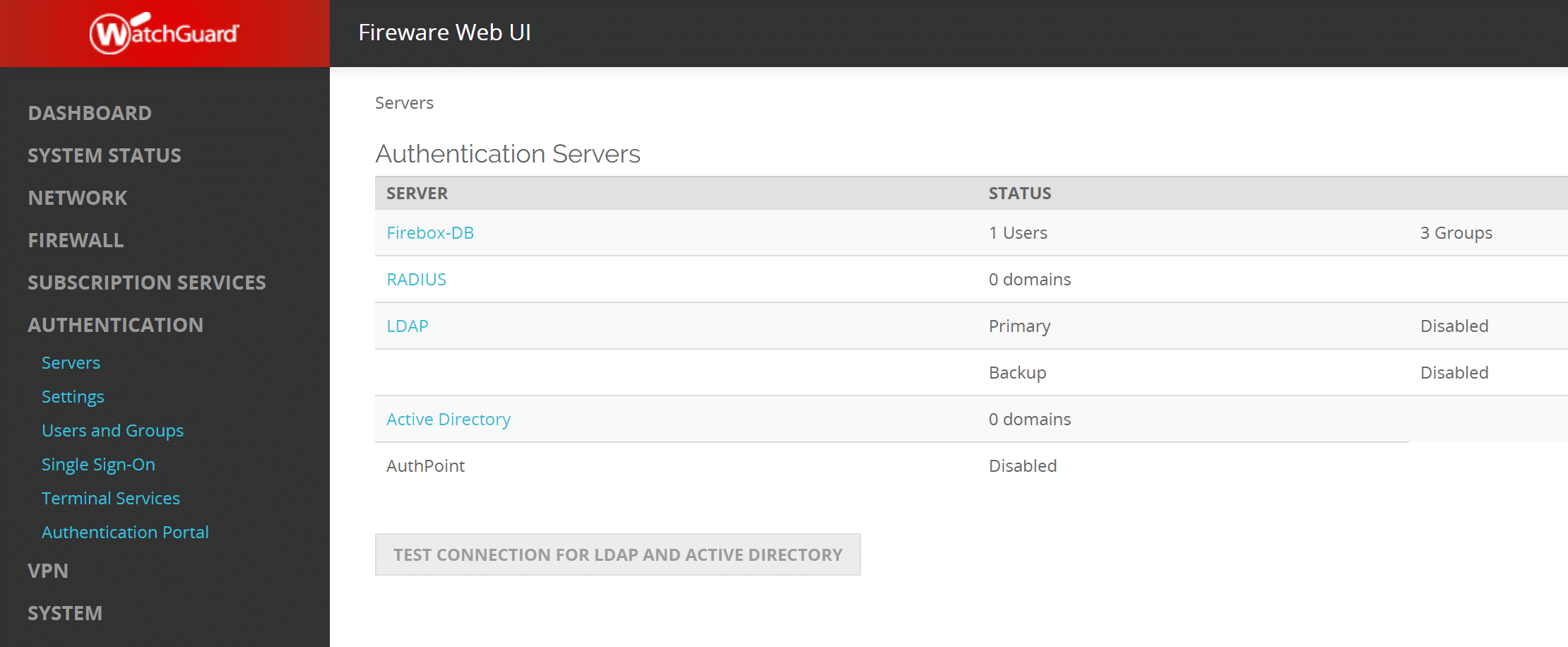

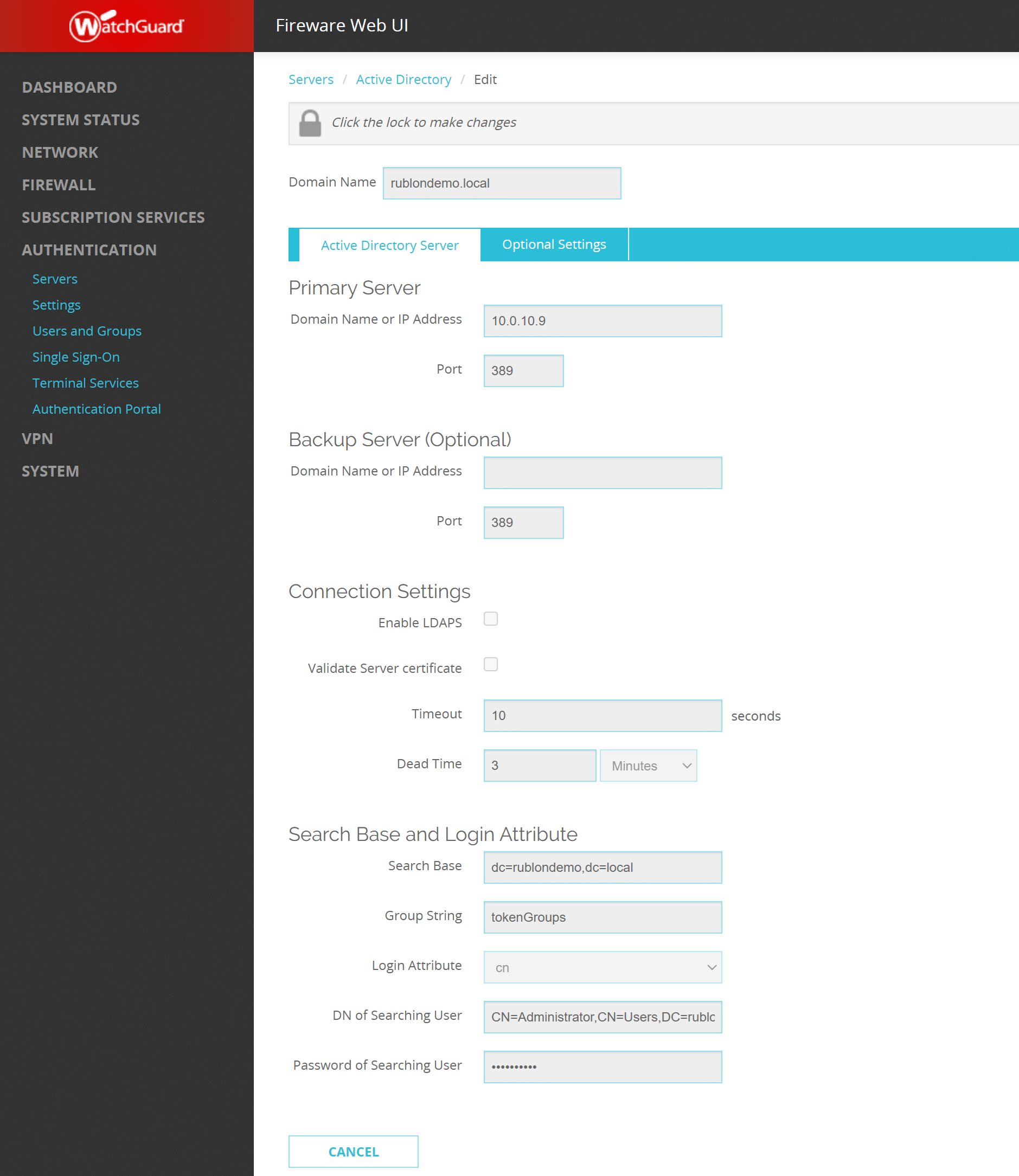
Configuring Mobile VPN

Mobile VPN Configuration with IPSec


Mobile VPN Configuration with SSL


Testing Multi-Factor Authentication (MFA) for WatchGuard Mobile VPN (IPSec)


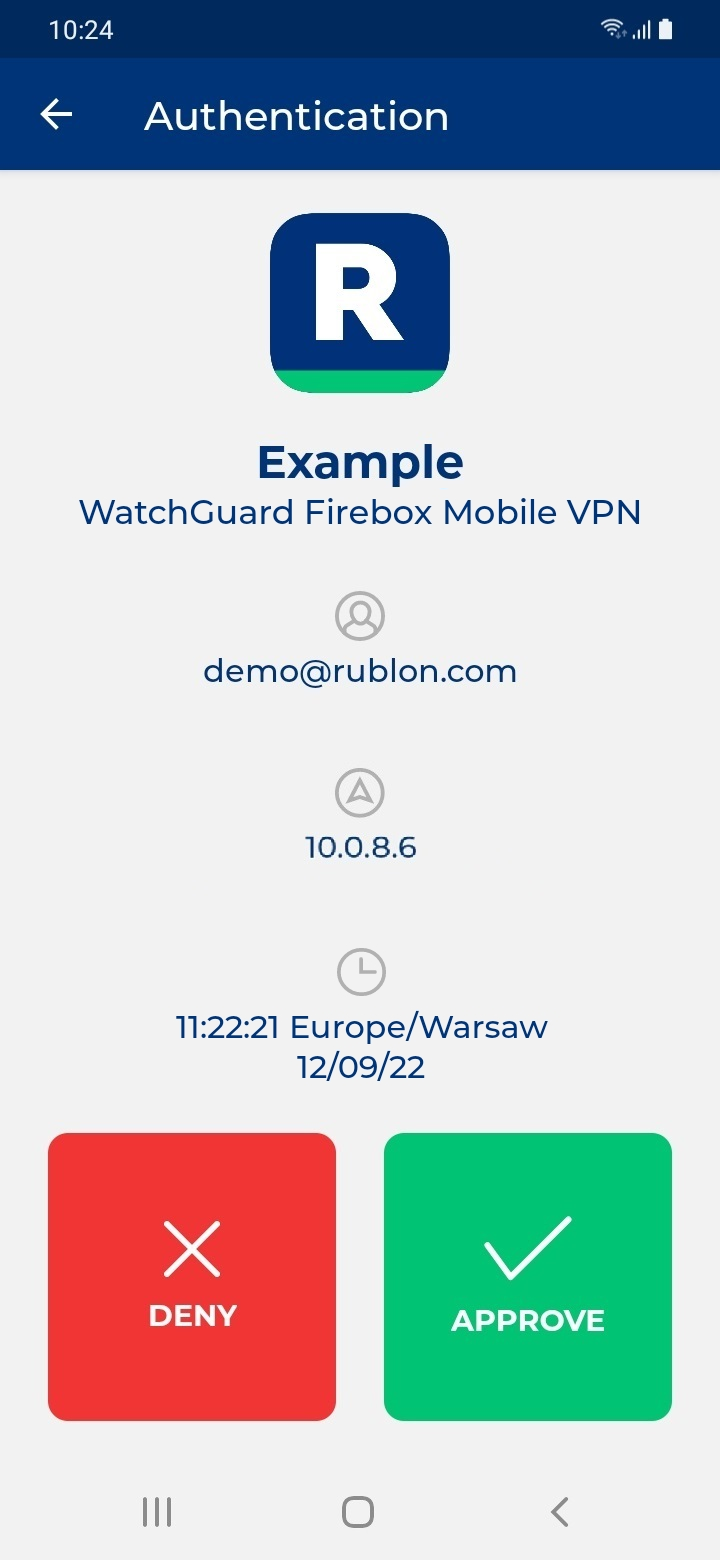

Testing Multi-Factor Authentication (MFA) for WatchGuard Mobile VPN (SSL)