
Last updated on September 14, 2026
MFA for HP Anyware is a multi-layered approach to user authentication that adds an extra authentication step. After entering their password, a user must accept a Mobile Push authentication request sent to their phone or enter the TOTP Mobile Passcode generated by the Rublon Authenticator mobile app. If the user does not complete the secondary authentication method, they are denied access to their account. Thanks to HP Anyware MFA, a hacker who knows the user’s password cannot access the user’s account. This is because the secure second factor thwarts the hacker.
Overview of HP Anyware MFA
Rublon Multi-Factor Authentication for HP Anyware allows you to add an extra layer of security to your HP Anyware logins. MFA for HP Anyware is done using the Rublon Authentication Proxy.
Rublon MFA for HP Anyware enables Multi-Factor Authentication (MFA) / Two-Factor Authentication (2FA) during HP Anyware connections via HP Anyware Client. After a user enters the correct username and password, the client prompts the user to complete an additional authentication method. If the user cannot complete the extra security step, Rublon MFA denies access, stopping a potential hacker from connecting.
Enable Entra ID logins to HP Anyware using Rublon MFA
If HP Anyware authenticates users through LDAP or RADIUS, you can use Rublon Authentication Proxy to validate primary credentials against Microsoft Entra ID and then enforce Rublon MFA. This allows users to sign in to HP Anyware with Microsoft Entra ID credentials, even when HP Anyware does not support Microsoft Entra ID, SAML, OAuth 2.0, or OpenID Connect natively.
See how to authenticate LDAP and RADIUS with Microsoft Entra ID credentials and MFA, or explore the related use case: Microsoft Entra ID logins for LDAP and RADIUS applications with MFA.
Supported Authentication Methods
| Authentication Method | Supported | Comments |
| Mobile Push | ✔ | N/A |
| FIDO | – | N/A |
| Passcode | ✔ | N/A |
| SMS Passcode | – | N/A |
| SMS Link | – | N/A |
| Phone Call | – | N/A |
| QR Code | – | N/A |
| Email Link | – | N/A |
| YubiKey OTP | – | N/A |
| RFID | – | N/A |
Before You Start
Before configuring Rublon MFA for HP Anyware:
- Ensure you have prepared all required components.
- Create an application in the Rublon Admin Console.
- Install the Rublon Authenticator mobile app.
Required Components
1. User Identity Provider (IdP) – You need an external Identity Provider, such as Microsoft Active Directory, OpenLDAP, or FreeRADIUS.
2. Rublon Authentication Proxy – Install the Rublon Authentication Proxy if you have not already. MFA for HP Anyware requires the NoCred Mode. All required changes in the Rublon Authentication Proxy config file will be described in the Configuration section of this document.
3. HP Anyware – Ensure you have correctly configured your HP Anyware, especially that user logins work properly before deploying MFA for HP Anyware. You need:
- HP Anyware Agent (Host)
- Anyware Manager
- Anyware Connector
- Anyware Client
Create an Application in the Rublon Admin Console
1. Sign up for the Rublon Admin Console. Here’s how.
2. In the Rublon Admin Console, go to the Applications tab and click Add Application.
3. Enter a name for your application (e.g., HP Anyware) and then set the type to Rublon Authentication Proxy.
4. Click Save to add the new application in the Rublon Admin Console.
5. Copy and save the values of the System Token and Secret Key. You are going to need these values later.
Install Rublon Authenticator
Some end-users may install the Rublon Authenticator mobile app. So, as a person configuring MFA for HP Anyware, we highly recommend you install the Rublon Authenticator mobile app, too. Thanks to that, you will be able to test MFA for HP Anyware via Mobile Push.
Download the Rublon Authenticator for:
Configuring MFA for HP Anyware
1. Open the Rublon Authentication Proxy config file. Under “SERVERS”, change “MODE” to “nocred” so that the line looks like this:
"MODE": "nocred",
2. Log in to your Anyware Connector via SSH.
3. Update Anyware Connector. Go to the directory with your Cloud Access Connector (<Cloud_Access_Connector_Path>/usr/sbin) and perform the following command:
sudo ./cloud-access-connector update --enable-mfa
Note: If your Rublon Authentication Proxy port is different from the default 1812, add the following flag to the installation command:
--radius-port <port>
4. When updating, the script will ask you for the IP address of the RADIUS server and the Shared Secret.
| The IP address of the RADIUS server | Enter the IP address of the Rublon Authentication Proxy. It must be the same IP you set in the Rublon Auth Proxy config file under SERVERS → IP. |
| Shared Secret | Enter the Shared Secret you set in the Rublon Auth Proxy config file under PROXY → RADIUS_SECRET. |
5. After providing the required values, the script will complete the server update operation.
You can now log in to the HP Anyware Agent using MFA.
Testing MFA for HP Anyware
BEFORE YOU START TESTING: IMPORTANT KNOWN LIMITATION
HP Anyware only supports two MFA authentication methods: Mobile Push and Passcode (TOTP). HP Anyware does not support emails. Even if you set “email” as “AUTH_METHOD” in the Rublon Authentication Proxy config file, HP Anyware will still send a push to the phone or display a text field to enter a TOTP code.
This HP Anyware limitation changes the way you enroll users into Rublon MFA. The Anyware Client cannot automatically send an enrollment link by email or SMS or display an enrollment QR code. So, you have to either manually add all users to the Rublon Admin Console beforehand or use the Directory Sync to synchronize your users from an external directory like Entra ID or Active Directory. Regardless of whether you add users manually or use directory synchronization, all users must have their mobile devices enrolled in the Rublon Authenticator app in advance.
To prepare your users for using MFA for HP Anyware, do the following:
1. Add your users to the Rublon Admin Console:
– You can add users manually (See: How to add users?)
– You can import users from a CSV file (See: How to import users from CSV?)
– You can synchronize users from an external directory using Directory Sync (See: Rublon Admin Console – Directory Sync)
2. Send enrollment links to the users you added via Enrollment Email or Enrollment SMS (See: How to bulk enroll authenticators for multiple users)
3. Ask the users to install the Rublon Authenticator mobile app and open the link from the Enrollment Email or text message to enroll their mobile devices (See: Enroll Rublon Authenticator)
To test MFA for HP Anyware, use the Anyware Client.
1. Start the Anyware Client and select your connection.
If you have no connections, create a new connection by entering your host address or registration code.
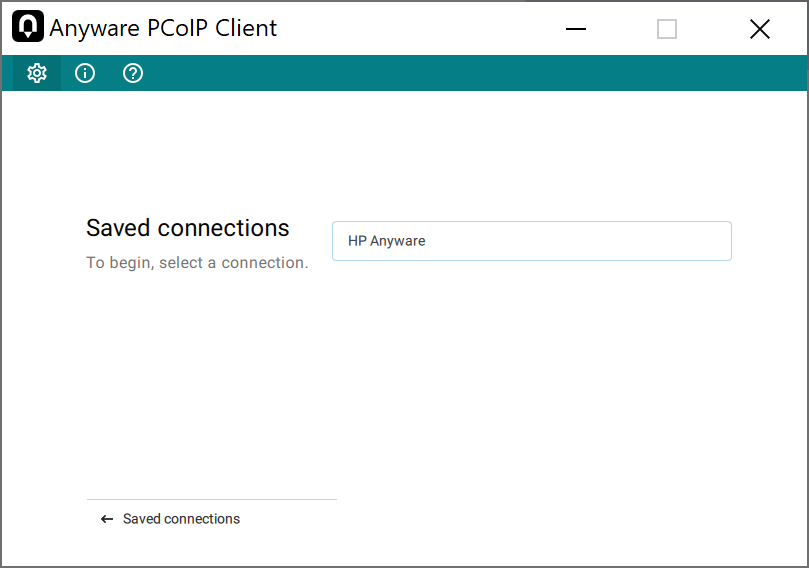
2. After selecting the connection, enter your Username and Password and click Connect.

3. Click Send Me a Push.
Note
You can also enter the Mobile Passcode from the Rublon Authenticator mobile app and press Enter.

4. Rublon MFA will send a Mobile Push authentication request to your phone. Tap APPROVE.

5. After approving the push, select your desktop connection as always.
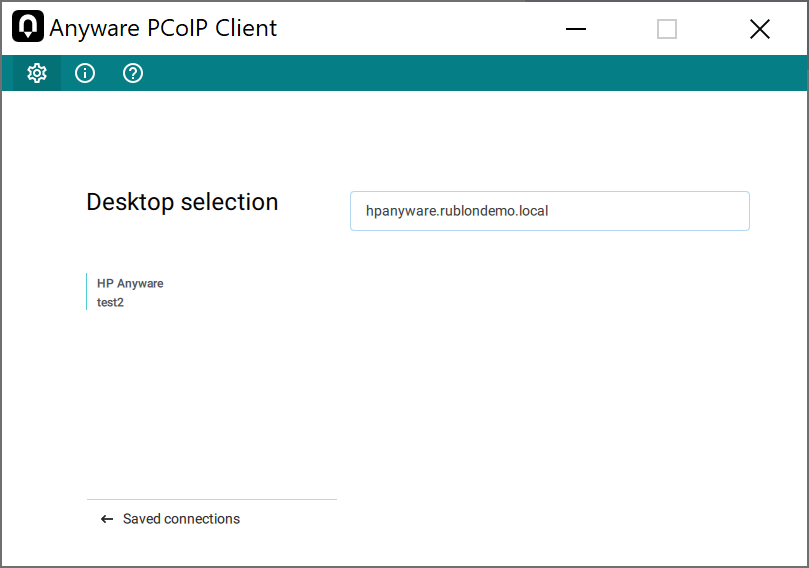
6. The HP Anyware Client will launch the session, and you will see the remote desktop.

Troubleshooting
Blast-RADIUS Vulnerability Protection
RADIUS integrations may enforce the validation of the Message-Authenticator RADIUS attribute as part of their mitigations for the Blast-RADIUS vulnerability.
The Rublon Authentication Proxy supports the Message-Authenticator attribute starting from version 3.5.3. The Rublon Auth Proxy uses the force_message_authenticator option in the configuration file (set to true by default) to safeguard against Blast-RADIUS attacks.
If you are experiencing issues with your RADIUS integration, ensure that the force_message_authenticator is set to true.
If you are using Rublon Authentication Proxy 3.5.2 or older, update to the newest available version.
If you encounter any issues with your Rublon MFA integration, contact Rublon Support.